
Learns from your sets, not everyone’s
Your rekordbox playlists and history show which tracks you play together, and in what order. Previews, technical sessions, and repeats are set aside rather than learned from.
Being built for the booth · offline by design
You shape the energy and choose the direction. SetPath keeps the right parts of your library within reach—surfacing tracks that fit what’s playing and where you want to take the set.
Direction changed to build. Showing 2 illustrative candidates.
Illustration · the set-journey view isn’t in the app yet, and suggestion quality is still being validated
A thousand tracks across genres, moods, and times of night live on one USB—and most of them are wrong for the moment you’re in. At each transition you have a few minutes, but your attention is split between the mix, the room, and the decks.
So you fall back to a familiar playlist and a safe track. It works, but it can flatten the direction and make sets repeat themselves. BPM and key tell you what’s compatible, never whether a track continues the feeling, builds tension, or takes the room where you’re steering.
SetPath reads your rekordbox library—playlists, My Tags, ratings, comments, cues, and history—without ever writing back to it. Prepare is where that library turns into a crate with intention, completed from music you already own: steered, explained, and remembered between sessions.
A crate is a brief, not a folder: saved filters for playlists, genres, tags, keys, BPM, energy, and vocals mean it only ever offers music that fits the night you’re planning. Or describe the night in a sentence and SetPath proposes a starting direction—an optional add-on.
The tracks already in the crate seed the search, and the same vocabulary you’ll steer with in the booth steers it here. Every suggestion says why it surfaced — play counts included.
One labelled switch reaches past the crate’s usual corner into the music you own but forgot. Skips are remembered per crate, so a pass through the queue never has to be repeated.
Turn the crate into a running order: SetPath suggests one, you lock the tracks you’ve placed and drag the rest. Export it as M3U8 for rekordbox and your USB.
Open the crate in Perform and suggestions come from it first, with the full library one tap away. What you prepared at home is what’s under your fingers.
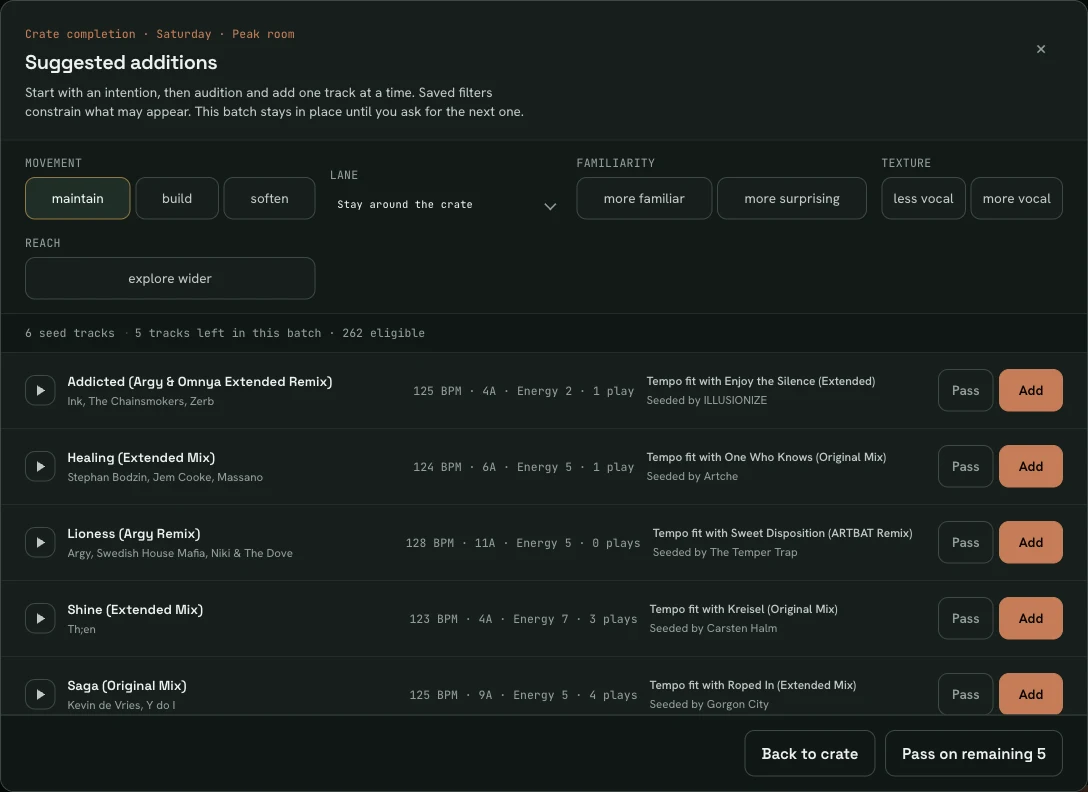
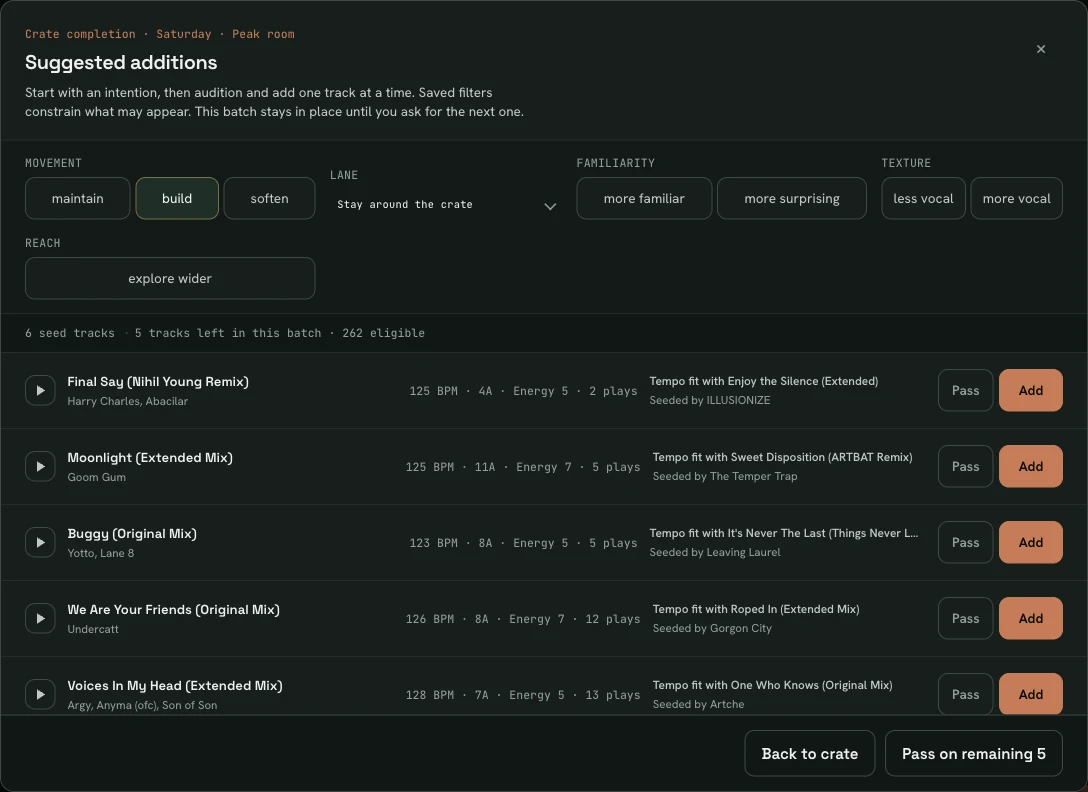
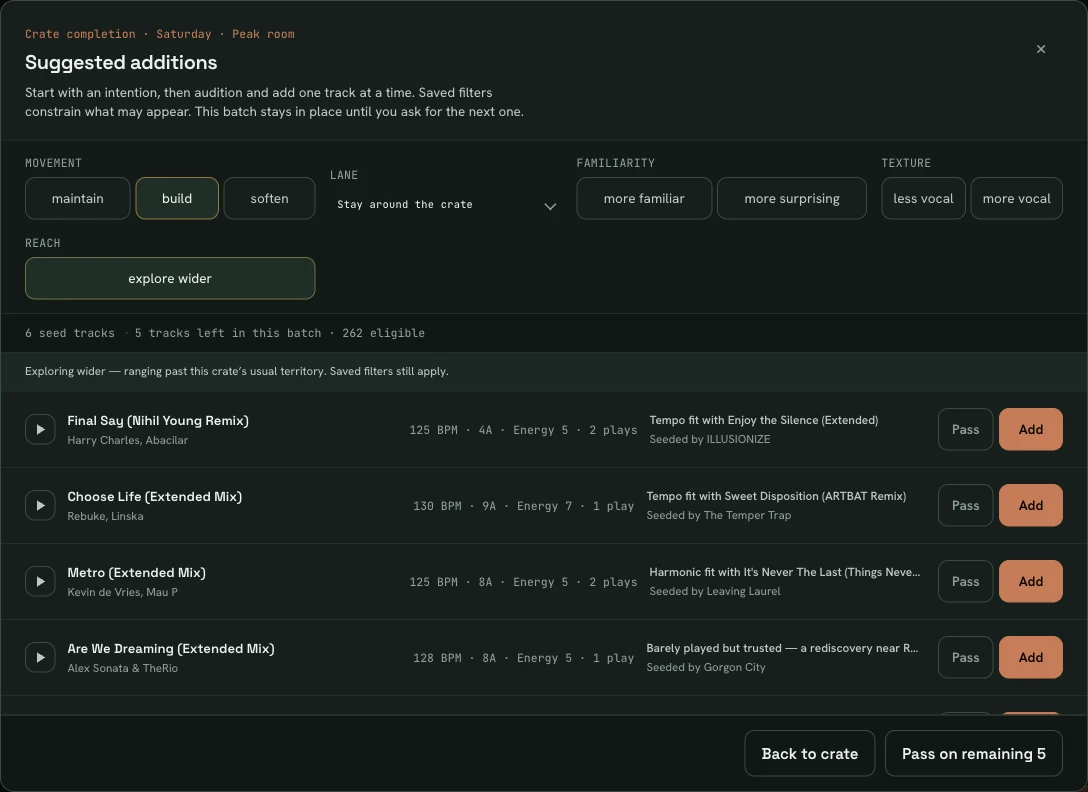
Showing the dialog steered to maintain.
Perform keeps a current field of tracks that could work next. When you already know your move, you simply play it—your choice becomes the new context.
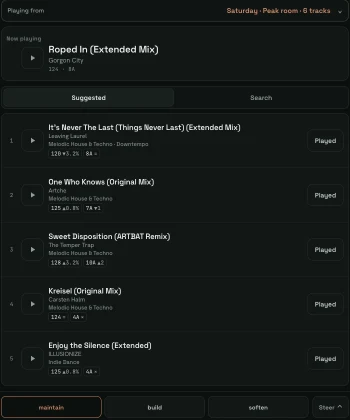
Each track you play reshapes a shortlist of up to six, drawn from your crate or the full library and weighed against what’s playing, the recent run, and the direction you’ve set.
Set a direction and the field recomputes. Every surfaced option should honour it—different degrees of the move, never one suggestion quietly ignoring you.
Cue the current track or a suggestion through the Mac’s audio output, with its rekordbox waveform. Auditioning never changes the ranking.
Scan a QR code and the booth view opens on your phone or tablet over the local network, in step with the desktop app. Steer, log plays, and cue from your hand.
Continuity is the default. Controls persist and combine, reshaping the field until you change them. When your library lacks the data a control needs, it says so rather than pretending.
Connect SetPath to rekordbox and Now Playing keeps itself current. It sees which track is loaded, playing, and up in the mix—so the next suggestions follow your set without a tap mid-blend.
A track can be right for one set and wrong for another. Learning stays bounded, inspectable, and yours to correct.
Your rekordbox playlists and history show which tracks you play together, and in what order. Previews, technical sessions, and repeats are set aside rather than learned from.
“Not right now” is not “not for me”. Each answer you give in the booth has one bounded consequence, and every one can be undone. Save a transition that worked and it’s flagged when that pairing comes round again.
The Learning view lists exactly what SetPath learns from and why. Overrule any call, and mark a practice set so it teaches nothing.
SetPath isn’t publicly released yet. Join the waitlist when it opens and you’ll be among the first DJs invited to try it against your own library.